
Create addon
The optional, separately installed Create addon connects Compukters programs to Create machinery on Minecraft 1.21.1. Install Compukters, the Create addon, and Create 6.0.10 through 6.0.x on both client and server. The base Compukters mod works without Create; the addon is unavailable on Minecraft 26.1.2.
Addon releases use x.y: an API compatibility line and a compatible update number. For example,
compukters-create-1.21.1-neoforge-0.5-2.0.jar targets the Compukters 0.5 line and is addon version 2.0. The loader
metadata enforces the exact minimum base-mod version. See addon versioning.
The Create API reference lists the addon declarations and their source files. Its Kotlin types link to the Compukters Core API reference.
What programs can do
| Area | Supported devices | Program actions |
|---|---|---|
| Kinetics | Speedometer, Stressometer, Rotation Speed Controller | Read speed, stress, and capacity; wait for changes; read or set a target speed. |
| Logistics | Stock Ticker | Find stock by item ID, inspect exact variants and counts, and request packaging to an address. |
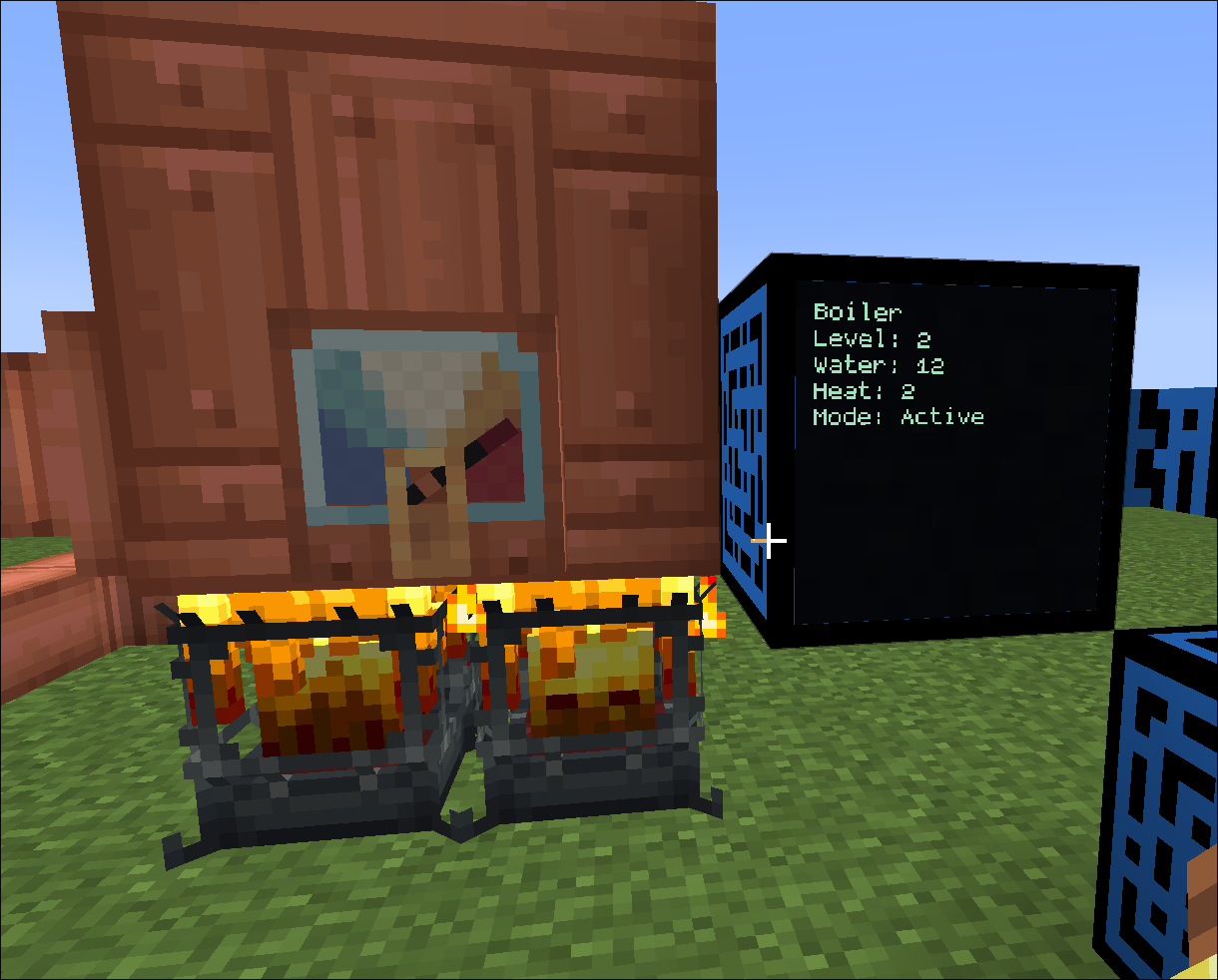
| Boilers | Active steam boiler through any Fluid Tank segment | Read incoming water supply, water and heat gauge levels, effective boiler level, and passive heating. |
Enable the addon in a project
With a computer attached in the IDE, accepting a completion for Kinetics, Logistics, or Boilers enables the
addon for the project. You can also add it to compukter.toml:
format = 3
name = "create-monitor"

addons = ["create"]
The IDE records the exact addon version in compukter.lock. A project can use the addon only when its attached server
provides a compatible installation.
Connect and name devices
Programs can reach a supported device on one of the computer’s six adjacent sides. For a more distant device, place Peripheral Cables between it and the computer. Cables can branch and loop, and discovery stays within loaded chunks; there is no controller block to configure.
Use a Peripheral Configurator on a supported device to assign a name, then acquire it by that name in a program. Names contain 1–32 lowercase letters, digits, underscores, or hyphens and begin with a letter. Shift-use clears a name. The name stays with the device across rewiring and world reloads. Names must be unique among devices reachable from a computer; a duplicate name causes acquisition to fail instead of selecting one device. The configurator can also show the devices reachable through a cable.
Handles refer to the exact acquired device. If it is removed, replaced, unloaded, or disconnected from the computer, the handle expires. Reconnect and acquire a new handle to continue. Devices and cables never force chunks to load.
Start with the kinetics guide, Stock Ticker guide, or boiler guide for code examples and operation limits.
Development verification
The standalone addon has its own Minecraft 1.21.1 GameTest server with Compukters, Create 6.0.10 and the addon loaded. Run it independently from the base mod’s GameTest server:
cd addons/create
./gradlew-sandbox-dev-parallel-summary check
./gradlew-sandbox-dev-parallel runGameTestServer
The tests build real devices and branched cable networks, name them through the server configurator, and compile and execute addon-enabled Guest Kotlin programs on placed computers. They cover motor-driven gauges, controller writes, cable cuts and restoration, block replacement, duplicate-name rejection, and expired handles. The boiler scenario contacts a non-controller tank segment, supplies water through Create’s fluid capability, and checks passive heat, engine removal and restoration, tank replacement, and cable disconnection. Test classes are excluded from ordinary client/server runs and production archives. The base Compukters GameTests continue to run without Create.
For the visual check, launch ./gradlew-sandbox-dev-parallel runClient from the addon directory in a disposable world.
Connect a computer to a Speedometer, Stressometer, Rotation Speed Controller and four-block Fluid Tank boiler using
branched cables. Name each device with the Peripheral Configurator. Inspect the cable connections and editor names;
attempt a duplicate name and verify the conflict is visible. Cut and restore the cable and confirm the displayed
reachability changes. Compare a program’s boiler readings with Engineer’s Goggles, then remove/rebuild its engine and
replace a tank segment; old program handles must fail before reacquisition. Record a screenshot or short recording.
This client observation is separate from automated server verification.